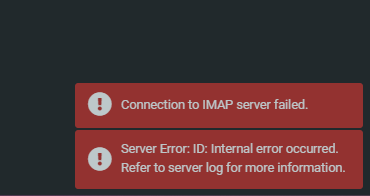
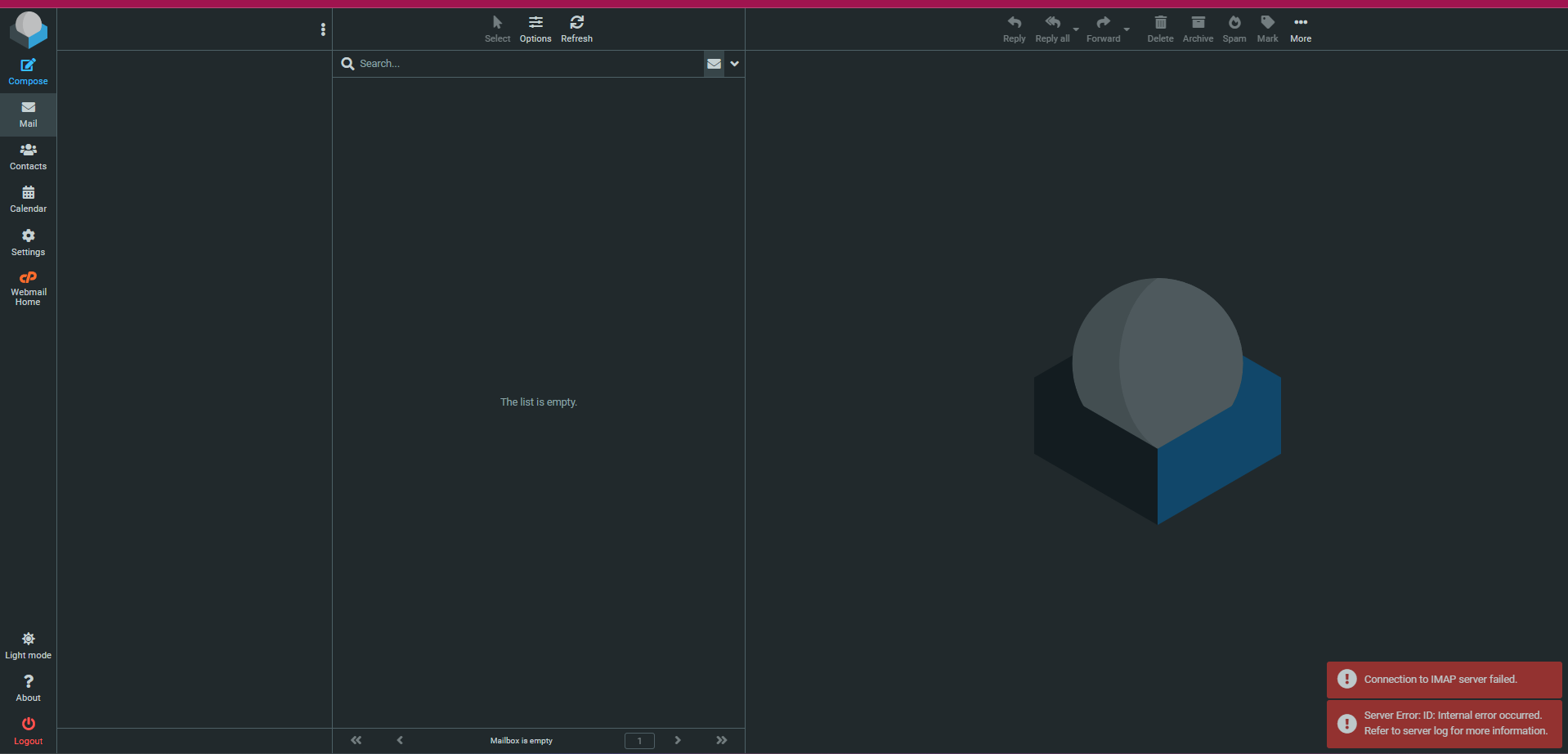
This article documents the troubleshooting process for a “Connection to IMAP server failed” error encountered by a client on a cPanel/WHM server. The error prevented access to Roundcube webmail for all email addresses associated with the account.
Initial Observation (Confirming the description)
- Webmail Access: Confirmed that the client could not access Roundcube webmail.
- IMAP Connection: Tested an IMAP connection and found it to be unresponsive, indicating a potential issue with the mail server.
Initial Investigation: Checking the local Mail Server Components
To diagnose the issue, I followed several steps:
IMAP Configuration:
- Checked that IMAP was enabled and verified the Maximum Number of Authentication Processes from “WHM » Home » Service Configuration » Mailserver Configuration.”
Dovecot Service:
- Confirmed that Dovecot was active:
ps -aux | grep dovecot/auth - Rebuilt Dovecot’s configuration and restarted the service using
/scripts/builddovecotconf/scripts/restartsrv_dovecot
- Confirmed that Dovecot was active:
Resources, permissions & quota:
- Disk and Quota Checks: Examined the system disk space, inodes, and email quota. Based on the quota error in the logs.
- WHM/cPanel Quota: Confirmed and edited the user and account quotas in cPanel and WHM were fine, including disk space and mail, were set to unlimited.
Firewall:
- Reviewed iptables firewall rules to ensure IMAP traffic was not blocked. He had cphulk, but it is irrelevant.
Examining Logs
- Roundcube Logs: Found the following error in
/home/user/logs/roundcube/errors.log:[root@vps-client ~]# tail /home/user/logs/roundcube/errors.log
...[04-Mar-2025 01:20:40 +0000]: <c18a68b5> IMAP Error: Login failed for [email protected] against localhost from X.X.X.X. ID: Internal error occurred. Refer to serverlog for more information. in /usr/local/cpanel/base/3rdparty/roundcube/program/lib/Roundcube/rcube_imap.php on line 211 (POST /cpsess6584299457/3rdparty/roundcube/index.php?_task=mail&_action=refresh)... - Mail Logs: Found the following error in
/var/log/maillog:Mar 4 00:43:11 vps-client dovecot[3373594]: imap-login: Login: [email protected], method=PLAIN, rip=::1, lip=::1, mpid=3373643, secured, session= Mar 4 00:43:11 vps-client dovecot[3373594]: imap(3373643): Error: Failed to initialize quota: Invalid quota root quota2: Invalid rule *:bytes=unlimitedk: Invalid bytes limit: unlimitedk …
- Error Interpretation: The error indicated that the
quota2setting in dovecot was defined with an invalid rule:*:bytes=unlimitedk. The correct usage is normally to specify a numerical value or-1for unlimited. While the*is a wildcard for email folders (e.g., inbox, trash).
Investigating Configuration Files
- Suspected Corruption: Initially suspected configuration corruption within
/home/user/mailand/home/user/etc. Duplicated clean folders, but the issue persisted. - Searching for Misconfiguration: Searched for the string
*:bytes=unlimitedkin various configuration files but could not locate it.
Analyzing Dovecot Configuration
doveadm auth lookup: Useddoveadm auth lookup [email protected]to view the user’s quota settings.[root@vps-client ~]# doveadm auth lookup [email protected]passdb: [email protected]user : [email protected]mail : maildir:/home/user/mail/example.com/test:UTF-8quota_clone_dict: file:/home/user/mail/example.com/test/dovecot-quotaquota2_rule: *:bytes=unlimitedkquota : maildir:Mailbox:ns=INBOX.quota_status_overquota: 552 5.2.2 Mailbox is full / Blocks limit exceeded / Inode limit exceededhome : /home/user/mail/example.com/testgid : 1002quota_rule: *:bytes=1073741824quota_rule2: INBOX.INBOX:ignoreuid : 1000quota2 : fs:cPanel Accountquota_vsizes: yesquota2_grace: 0quota_rule3: INBOX.Trash:ignore
- Confirmed the presence of the invalid
quota2_rule:quota2_rule: *:bytes=unlimitedk
- Multiple Quota Levels: Noted that Dovecot can have multiple quota levels. In this case, the first level (
quota_rule) was defined correctly, but the second level (quota2_rule) was causing the error. - cPanel Integration: Observed that the second quota level was linked to the cPanel account (
quota2 : fs:cPanel Account).
Attempting to Override the Setting (Force Dovecot Quota Change):
- Tried to force a correct quota rule on
/etc/dovecot/dovecot.conf(which can also be added to an !include or usedoveadm quota set):plugin { quota2_rule = *:bytes=10737418240} - Restarted Dovecot:
/scripts/restartsrv_dovecot
Even though, it was still overridden by another setting.
Final Resolution
As seen in quota2) defined with the cPanel account. Therefore I rechecked and reedited all potential spots here the quota could be defined, At the end I reset the WHM package of the user, and it corrected this bug.
Conclusion:
To conclude, the “Connection to IMAP server failed” error caused by the invalid quota2_rule setting in Dovecot, was likely due to a bug or conflict with the client editing or importing WHM package.
This troubleshooting exercise highlighted the importance of:
- Analyzing logs to pinpoint the source of errors.
- Understanding Dovecot’s quota system and its integration with control panels like cPanel/WHM.
- Utilizing tools like
doveadmto diagnose configuration issues.
Useful resources:
- https://support.cpanel.net/hc/en-us/articles/360053206713-Roundcube-Webmail-login-page-says-Connection-to-storage-server-failed
Comments